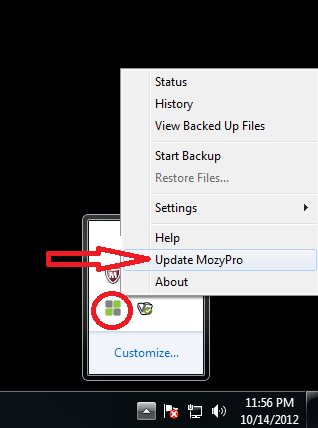
Sometimes Mozy needs a kick to remind it to update to the latest client version. You can force your MozyPro update client to update manually on Windows by:
Important: The option Update MozyHome/MozyPro is only available on version 2.28.0.421 or newer and if a newer version is available. If you don't see the Update MozyPro link you should be at the latest version. If you are told otherwise contact us to look at your system.
1.Right-click on the Mozy icon in the system tray.
2.Click on Update MozyPro,
3.When prompted to allow changes to be made on the computer, click allow and/or yes.